Sunday, October 14, 2018

Social Media in the Classroom

         The use of social media has taken society by storm, and the percentage of the population that participates in social networking increases more and more each year. At this point it is hard to imagine a world where it did not exist. According to the Pew Research Center, 88% of 18-29 year olds use some form of social media, and the same is true for 78% of people falling between the ages 30-49. It is how people many young adults have connected with more than just the people they see in person, and the same is true for students. Facebook and Twitter continue to be power houses of social networking, and Instagram, Snapchat, and YouTube are becoming increasingly popular, especially amongst young people. Social media can be good in some cases, but it definitely can be a burden as well. Cyber bullying, the spread of false information, and lack of face-to-face communication are all
Image Source
examples of how social media can be a threat to society. So where does the use of social media fall into education? It is inevitable that most students are going to participate in social networking at some point in their education, so it is important that schools teach students how to use the sites appropriately. If teachers are able to incorporate social media into their classroom, they can model how to use the sites professionally. I read the article titled "8 Social Media Strategies For Your Classroom" by Adam Renfro to look for some advice on how to best utilize social network sites with students.

      Renfro shared advice for using specific sites. One idea he presented for using Twitter was to create a class hashtag so that students and teachers can communicate with each other. You could hold a class discussion on the site outside of school hours, or students could ask questions about an assignment to each other using the hash tag. I like the idea of a teacher holding their own Twitter chat and having students post using the hash tag. This would be a great way to hold a discussion on a forum that many young people are comfortable with. He also mentioned creating a class Facebook page, which might be good to share out with parents as well as students. This would be especially helpful if the school did not already have a learning management system they were using. I like to post updates on Schoology for parents and students to see, which you could also do using Twitter or Facebook. He also brings up using Google Plus to create a PLN, which I had not considered because I do not know anyone that uses it, but I will have to look into it. Renfro mentions using "SchoolTube" as a tool for flipping the classroom. This is a safe place where you can upload your own videos, or find ones that were created by other teachers. Sometimes YouTube is hard to find the best videos since there are so many, so it seems like SchoolTube would be a good way to narrow the search.

In the article, Renfro states "Catch them where they are," meaning use a site that students are already using. The article was written in 2011, so I would imagine he would include Instagram,YouTube, Pinterest and Snapchat if it were written today. I have seen a lot of teachers use the sites in their classrooms to engage students. Some of the tools mentioned in the article are outdated, but the ideas on using them hold true today. The point is that whatever platforms are popular now probably will be taken over by new sites within ten year, which means it important for educators to figure out what their students are using, and they should not get discouraged if a site they have used for years is suddenly a drag for students. All you can ask is for teachers to continue trying to connect and engage their students in as many ways as possible.


Friday, October 12, 2018

Reflections on the Past 8 Weeks

When I registered for this class the day before it started I felt pretty uncertain and overwhelmed. I was starting a new position at my school and taking grad school classes for the first time, and I really didn't know what to expect my work load to look like. Thankfully there was a lot of overlap between what I had to figure out for my job and what we were asked to learn about in EDU776. A few times throughout the course I was asked to help teachers at my school find a tech tool suitable for their project, and I ended up either hearing about a great tool from Mrs. Zumpano, or would be able to complete an assignment that forced me to learn more about a tool I wanted teachers to try. It was also great to read and respond to other educators' blog posts to learn about educational technology used in a variety of settings.

Image Source

Biggest Takeaway: Twitter Chats and PLNs

Prior to this class I did not value Twitter as a place to grow as an educator. For years I had used Twitter strictly for following music, sports, and news, and to think about using it for work seemed like it would ruin it for me. I assumed teachers posting on Twitter would mainly be sharing photos of their classrooms and bragging about their students,  which is great for building a positive classroom environment and recognizing students, but I did not think that it would help me grow as an educator. After participating in a few #edchats I realized the wealth of information to be had on Twitter from other people working in education. I am just starting out as a tech coach and need as many ideas as possible when teachers ask for help. It makes sense that Twitter would be a perfect place to find forward-thinking, innovative teachers who are eager to share their ideas. I am excited to participate in more Twitter chats throughout the school year and build my PLN. I have shared my experience with other people in my building and they are also getting invested with using the site for professional growth.

Favorite Tool: Adobe Spark

My favorite new tool that I learned about in EDU776 was Adobe Spark. I had given a poor attempt at trying to use it before and given up right away. I decided to give it another shot for my Web 2.0 post, and I ended up being a huge fan. It was fun to create a narrated video on the site, and I was able to show it off to teachers at my school who will now be using it in their classes for a project.


Taking EDU776 had an immediate positive impact on my job performance, which is not always the case when taking classes while working a full-time job. Although I had a few weeks where I was struggling to balance all of my responsibilities, I can now reflect and say that I was #BlessedToBeStressed.

Data Dive

Image Source
My generation was the first to really grow up with the internet. I remember being in elementary school and having to wait up to an hour for the dial-up internet to load our free version of AOL just so I could email my friend back and check to see if Barry Bonds was any closer to breaking the single-season home run record. I was all over AIM and Myspace growing up, fighting my brother for computer time every night. We had fun going into chat rooms with our friends, and one time I remember my brother got our AOL accounts temporarily banned because he swore at someone in a chat room. We denied it, but my parents had to call AOL to reactivate our accounts and they read us a transcript of what he said. This was the first time I realized that our actions on the internet could cause consequences in real-life. I learned this lesson in a low-risk situation as a 6th grader, but with the amount of information people share on social media, this mistake could have a much greater impact on their future.  I am constantly hearing stories in the news about pro athletes, like quarterback Josh Allen and pitcher Josh Hader, costing themselves millions of dollars for tweets they sent out as high schoolers. For class this week we were asked to do a personal "data dive" to investigate our digital tattoo, and I was actually looking forward to taking some time to scrub the internet to see what information about me is available to the public.

What I found

After scouring several sites suggested by Mrs. Zumpano, I realized that I have very little online presence if you were to just search my name. I believe this is due to a combination of me being paranoid about social media when I started college and heard horror stories of people getting in trouble because of it, as well as having a very common name. When you search for me on Google by my legal name or my alias Jake Thompson, you will see stories about Jake Thompson the MLB pitcher and hundreds of other "Jacob Thompson"s who are more important than me. What I did not like was seeing how all of my personal information so readily available. Here is a break down of some of the highlight of what I found on the sites I searched: 
  • Nuwber: They knew I was a male between 25 and 30 years old. They listed my immediate family, grandmother, and even my old neighbors
  • Fast People Search: Current and former addresses with maps, phone number, with lot more family. This site also included my sister in-law's family, and lists my girlfriend as a “possible associate”. This is probably because we purchased a condo together. This site had my exact age as well.
  • Spokeo: Only name and family
  • Google: Hard to find info on me since my name is so common. There was a sad story of a sick child named Jacob Thompson which has a lot of news stories, as well as a MLB player and an author named Jake Thompson.  You have to search by my name and school to find any professional info, or name and home town to see I played basketball in high school. 
  •  Picture from my school web page that showed up: 
  • Facebook:  Can’t find through search and I rarely post on there.
  • Twitter: If you know my username (@MrThompsonCJHS) you can tell I’m interested in ed tech and math education based on my tweets, but it's all professional.
  • Instant Checkmate: a few correct and incorrect relatives. Name, age, and city were accurate.
  • Intelius: Name, cities I’ve lived in, immediate family & my girlfriend
  • Chicago Blockshopper: This site had my address and date I purchased my home, price of purchase, as well as my property taxes. It also included a map of where I lived.
  • Searched all over Google images and Youtube and there are too many Jake Thompson’s out there
Overall, I am a little relieved I didn't find anything bad out there that would hurt my reputation, but I was a little disappointed in my professional presence. After hearing about the benefits of having professional work pages show up in a Google search, I will continue to work on putting myself out there through my professional Twitter account and my website.


Saturday, October 6, 2018

PLN and #TwitterChats


        Technology is revolutionizing education, and each year that passes it seems like there's so much more for students and teachers than the previous year. Students equipped with Chromebooks or other devices now have the world at their fingertips. I've seen first hand students close the achievement gap by pulling themselves up by their bootstraps, spending hours and hours mastering math skills on Khan Academy, growing from below average math students to the 90th percentile in just one year. I've seen social studies teachers transform a unit on culture, going from reading textbooks and watching movies about how people live in other countries to now actually having one-on-one conversations with children from all over the world through videos. With technology and a growth mindset, students have incredible possibilities for what they can accomplish in their education. The same goes for teachers. Anyone that is willing to research better methods of teaching and try out cutting edge technology as it becomes available will see major changes in their classroom and the way their students engage in learning. Most teachers I know do not have a whole lot of free time to keep up with the newest trends in educational technology, which is why is great to build a Professional Learning Network, or PLN, to get ideas from. When I moved from a school that I always planned on my own to a new school that required different teams of teachers to meet for weekly PLCs, it made the job so much easier being able to bounce ideas off of each other and see how other teachers were helping students. Even if your school does not lend you to plan collaboratively with colleagues, social media sites like Twitter are a great place to build your network and get great ideas from educators all over.

Image Source - @BrianMendler

Twitter Chats

Twitter is by far my favorite social media site to use personally. For years I have used Twitter to keep up with current events in sports, music and politics. If there is a big cultural event happening in the world I know that I can go to Twitter and get up to the minute updates from credible news sources and hear varying opinions on the topic. I run my school's Twitter page, @conradyjaguars, and had my own personal page for professional use only that I barely used (follow me @MrThompsonCJHS). I followed various education related pages and would check from time to time, and mainly was using Twitter as a "visitor". For this PLN project we were required to participate in a Twitter chat, forcing me to step outside of my comfort zone and get involved. If you just search #edchat on Twitter, you will immediately find an endless list of posts that will inspire you to try new things in your classroom. The Twitter chat that I participated in was called #ditchbook. The chat was moderated by Adobe Education Leader and Flipgrid Ambassador Claudio Zavala, Jr. (@ClaudioZavalaJr), and he would pose questions asking participants to share ways they have used video tools to ditch the textbook to revitalize their classrooms. In less than an hour I not only learned about a lot of great new resources, I heard from people in the trenches that shared effective ways they have used the tools in their classrooms. Below I've included my post in the Twitter chat, along with other posts that I found useful.
Image Source


Image Source - @jmattmiller
As the tech coach at my school, now I feel an obligation to participate in more Twitter chats to get as many new ideas for my colleagues as possible. A great resource that I will be going back to is a blog called Shake Up Learning, posted by @jmattmiller. The creator of the blog describes it as follows: "The purpose of this website and blog is to help teachers and students. That’s my bottom line. Here you will find resources to help you learn how to integrate technology meaningfully into your classroom, pick up some cool tips and tricks, and access free resources and ideas." I have already found a bunch of great ideas from this blog, like how to use Google Slides presentations better. Another cool web tool I learned about from the #ditchbook chat was ClipChamp, which was also posted by @jmattmiller. Teachers in my school are always looking for new movie making tools, so I look forward to showing them another one they can add to their tool box. The best part about this resource is being able to convert videos into .mp4 format, which is required when trying to upload videos on some sites.

After doing this project I have major regrets for not utilizing Twitter as a professional growth resource sooner, but I will most definitely be using it more moving forward.

Thursday, October 4, 2018

Web 2.0 Tools

When the tech coach position became open at my school over the summer,  I debated applying for some time and imagined what my school year would be like in this position. It didn't take long for me to realize that this was something I would enjoy. My administrators knew that I was willing to try to figure out new tech tools in my class, and that I would encourage my team to do the same. They gave me a chance and now that I have been in the position for a few months, I realized that I had barely scratched the surface on all of the web tools available to enhance learning. Over the summer I tried to make sure I was at least proficient in the sites our school has premium memberships for, which includes Edulastic, Pear Deck, WeVideo, IXL Math, Thinglink and Schoology. I also attended an EDTech Team Conference in Naperville, and that made me feel so much more prepared going into the school year.  My favorite takeaways from that conference were the new features on Google EarthFlip Grid, and Edpuzzle. I felt like I had a lot of web tools to share out with my colleagues, but I've learned just as much from them as it turns out they also have great tools they've been using for years. Mrs. Zumpano shared Larry Ferlazzo's "Website of the Day" Blog where he creates lists of his favorite web tools throughout the year, including lists of his favorite ed tech sites for a variety of uses.

Adobe Spark    

https://spark.adobe.com/images/landing/multiple_devices@2x.png
Image Source
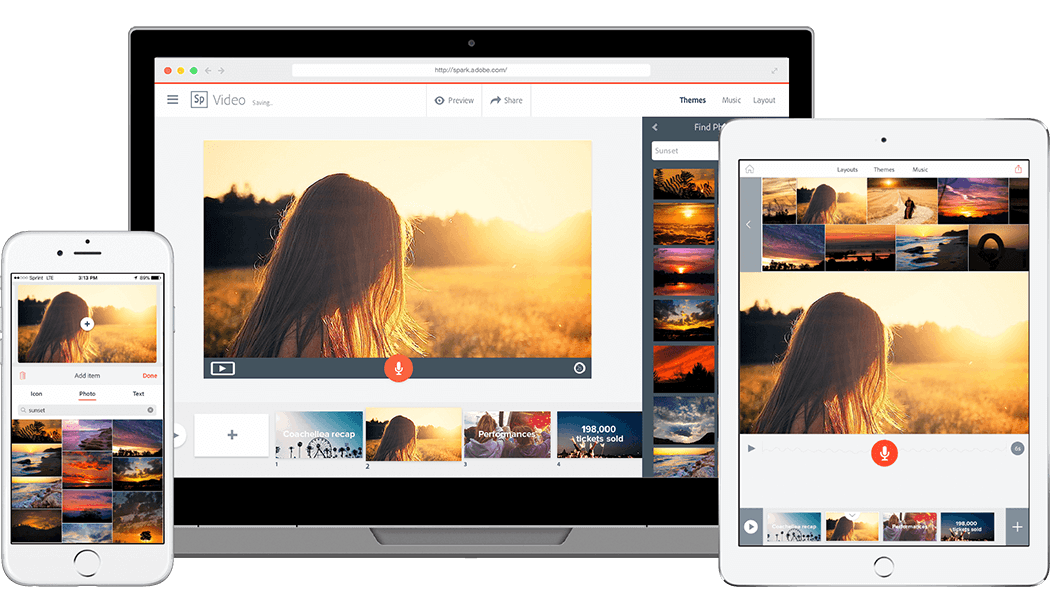
As soon as I read the directions for this week's blog post I immediately thought of Adobe Spark, a web tool that has been on my list to learn more about after hearing many teachers say good things about it. Some of the Language Arts teachers at my school asked if I would come in and demo creating a video presentation on Spark for their classes next quarter, so this was as good a time as ever to dive into it. 


"Transform your ideas into stunning visual stories," is how the tool is described on the Adobe Spark webpage. Spark allows you to create professional looking graphics, web pages, and video presentations for free. There are several templates that you can choose from to edit any way you like. Just going through the templates provided some inspiration for different ways you can use the site. Ideas that stood out to me were the photo journal web pages, newsetters, and infographics. I decided to make a sample video presentation for the students I'll be presenting to, as well as a tutorial showing how to create the presentation themselves. I've included each below.