Tuesday, December 10, 2019

Coding for Educators Reflection

As excited as I am to wrap up one more course, Coding for Educators, towards finishing my degree, I am equally excited to start Coding II next semester. I always wanted to explore coding once I saw how much of a push they were making for it in be incorporated in schools, but I never took the time to follow through and actually learn it. This course forced my hand at trying it out, and now I can't wait to implement coding into my classroom.

One of the most important things that I learned in this course was that there are many ways I could incorporate computer science into my 8th Grade Math classroom. Working at a STEM school, I am encouraged to help my students make these connections between what they are doing in Robotics class to my math curriculum. I've been looking for quality STEM lessons to do with my students, but I didn't really like the ones I tried because I felt like they weren't tied closely enough to the math I wanted them to be practicing. After learning a little bit about Scratch and Python, seeing how it works and coding my own projects, I immediately came up with a few ways to incorporate them into my units I'm currently teaching. I'd imagine that this is true for many math units, so rather than searching all over looking for the perfect lesson that I'm never satisfied with, I will spend that time trying to learn a new programming tool that I could then make my own lesson with. 

As I mentioned above, two of the programming tools that I figured out ways to use in my 8th Grade Math classroom are Scratch and Python. For Scratch, I plan on using it when I teach geometric transformations, having students create a story where their Sprite moves around using translations, rotations, reflections, and dilations. I already actually used the Scratch lesson that I came up with for this course, where the students had to create a scene where three different Sprites were intersecting each other at certain points in plane. They had to make each Sprite move to various points on a line, and they used Desmos to graph a system of linear equations to prove that their characters were indeed moving on a straight line. I did this the last day before Thanksgiving break, so there were low stakes, but the students seemed to really enjoy it even if all of them didn't successfully take away the math I was hoping for. 

I also am excited to have the students create their own version of the "rock, paper, scissors" Python project to teach probability and data displays. I plan to have students record how much of each option is selected by the computer, then compare the theoretical probability to the experimental probability. They will show the results using one of the data displays we are learning about.

Coding is a skill that will open many doors for our students, and my goal as an educator is to help create as many opportunities for my students as possible. When I think about my middle school students, very few of them have any ideas what they want to do for a career, so it'd be great to show them that coding is enjoyable and accessible to anyone that puts their mind to it. I wish that I had a little encouragement and motivation to explore programming growing up to know that it was an option!

Saturday, March 2, 2019

Social Media in Education & Participatory Digital Citizenship

Social Media in the Classroom
This is the image for the news article titled Follow the District on Instagram or Twitter
Add caption
After diving into all things social media the past eight weeks, I cannot wait until the day that I have my own classroom again so I can try out some of my ideas. One idea that came to mind this semester was to host study sessions through a Twitter chat. I've tried having students post on discussion boards the night before a test or a quiz, but very few of them participated, and it was not structured in a way that made it very engaged for students. I think that this idea might get students who are already using Twitter a little more willing to stop by the Twitter chat and ask or answer a few questions with their classmates, especially if I offered some sort of incentive.

Another idea would be to have students set up a separate Instagram from their personal account that is just for school. I like to show examples of quality student work in my class, and if I were to post them on Instagram this would be a great place for students to refer back to these examples. This could be done on Twitter, but students seem to be much more interested in Instagram than Twitter.

Participatory Digital Citizenship


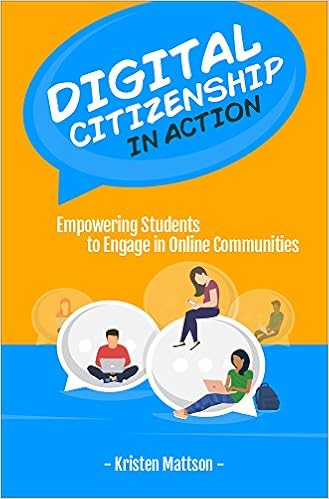
When schools are tasked with teaching children about digital citizenship, it is easy to go down the path of telling them what they should not do and warning them about all of the dangers. In Kristen Mattson's book Digital Citizenship in Action: Empowering Students to Engage in Online Communities, she provides several methods of taking digital citizenship to the next level. The chapter that stood out to me the most was titled "Making Contributions that Matter." This chapter discussed the difference between traditional digital citizenship and participatory digital citizenship, which encourages students to use their online activity to make an impact. She discusses how she transformed a project where students would practice their writing by mailing letters to celebrities, who would occasionally respond, into a project that gave back to the community. Students were tasked with raising money to purchase clothes for children in need, and to do this they emailed businesses in the community and promoted the fundraiser on social media. Reading this gave me the idea to do something similar in my school, where students would use the same methods of raising funds for the humanitarian crisis in Yemen. I brought up this idea to the Language Arts teachers, and we came up with a project for their students to do that would encourage participatory digital citizenship. Each student will be researching different charities that support a cause that is meaningful to them. Since some charity organizations only give a fraction of the money they earn to the cause they're supporting, students have to vet any organization they choose to raise funds for it to make sure the money they raise is going where they want it to. This is a valuable skill that not money adults consider before donating money. Students will raise money by starting an online campaign to reach family and friends, as well as emailing different businesses throughout the community to see if they are willing to donate. This is one example of using social media in education for positive change, and I can't wait to see how it turns out.

Tuesday, February 26, 2019

Social Media Literacies:

Pay Attention While Walking - Pokemon Go Signs
Image Source

Attention: What Rheingold states in his 2010 article about the need for students "to learn to turn on the high-beam light of focused attention when necessary" is much more amplified today than it was when he wrote it. He talks about different professors finding the need to limit their students from using the internet because they saw levels of distraction that were out of control. Since then, technology has only advanced and it's become very hard for anyone to argue that it does not have a place in education. Although I agree that it is distracting for students to have their phones and laptops in front of them when they are supposed to be listening to a lecture, it is a given that anyone that grew up with a smart phone is going to have the urge to use the internet whenever possible. Rather than having to completely ban technology or letting students have free reign of their phones in class, many effective teachers find ways to captivate their students' attention utilizing technology to make their class interactive, and hopefully scratch that technology addiction itch enough to prevent students from needing to check their Snap Chat every two minutes. In my classroom, I try to do a mix of tasks that require technology and tasks that require thinking and collaboration without technology. When it is time to do some instruction I make them put their Chromebooks out of sight so they are not as distracted. 

Howard Rheingold's 2010 article "Attention, and Other 21st-Century Social Media Literacies" lays out five key literacies for people to understand when it comes to using social media. These were attention, participation, collaboration, network awareness, and critical consumption. It seems like 2010 was so long ago, but each of these skills have become essential for navigating through this technological world, whether it is surviving in a work place or recognizing misinformation. I will expand on how I feel each of these are even more relevant today below.


One of my favorite programs as a teacher is Hapara, which allows the teacher to control what students are doing on their Chromebooks while they are in class. Teachers can see what websites students have open, and even close out tabs that they deem inappropriate at the time. I must admit I love watch a student's reaction from across the room as I repeatedly close out their game of Snake. The best feature on Hapara is called "focused browsing," which lets the teacher open a specific website for students for a certain amount of time. This is the only way to guarantee that students are not surfing the web every time you look away. Even though technology usage will continue to grow and develop faster than we can imagine, so will the tools that we have as educators to assist with keeping students focused on their learning.

Participation: Although important for developing social skills and learning networks, participation is not a literacy that I would blindly encourage without first teaching people how to do so in an appropriate way. The news has been littered in stories of people destroying their careers after offensive social media posts were discovered. Teenagers, and some politicians, tend to make posts without thinking about the consequences, so it's important they understand the repercussions for acting like an idiot on the internet.

Collaboration & Network Awareness: The amount of options students have to interact with one another inside and outside of school could not be counted on one set of fingers and toes. This level of constant connectivity can have many negative side effects, but in terms of collaboration, we are getting really creative in ways to make our world feel a little smaller. One project I worked on this year was to set up virtual e-pals with classrooms in other parts of the world, and through the website Twice CapSpace I was able to connect with teachers in Alaska and Houston, and our students were able to share videos about their culture through a shared classroom on SeeSaw. The best connection we made was when a teacher that formerly worked in Dubai set us up with a classroom in her previous school. Our students sent videos back and forth, and it was pretty amazing to think about how easy it was to connect these children from across the world.

Critical Consumption: FAKE NEWS! The phrase sends shivers down my spine, as this subject is something that I fear most about the future. It seems that the spread of misinformation has allowed people to blur the lines of fact and fiction. The news is polarizing, and many people don't care about what is true as long as it goes along with what they believe. What scares me is technology that allows people to create videos that look and sound exactly like a person, and making them say whatever they want. The problem with this is now people will have a scapegoat even if they are caught on tape doing something illegal, being able to say that the video was doctored. This article on The Guardian explains how people are able to do this, and gives examples of how it was done on videos with Barack Obama and Donald Trump.


Monday, February 18, 2019

Protecting Student Privacy


If I had a nickel for every time I've agreed to terms and services just to create see what an educational website has to offer, I would have a boat load of nickels! I need to be more careful about trusting every recommended site that I assume to be reputable, especially after taking a closer look at CIPA, COPPA, and FERPA. These are laws that were enacted to keep any information pertaining to students private and not for the use of businesses, or anyone outside of those that really need to know. I would never share this information with someone who confronted me in person, but when we sign our students up to use various web tools we might be opening them up to have their information accessed by strangers. Below is a summary of the purpose of each law:

Children's Internet Protection Act (CIPA)

CIPA gives a federal mandate to have filters for students when accessing technology provided by or within a school. All content must be monitored to assure that students are not accessing inappropriate. Any image with respect to minors that could be considered pornographic is a federal offense. It is not uncommon for students the share offensive images with each other, which they may not realize can get them into serious trouble if caught. I know as the technology coordinator that our school has heavy filters for our students' Chromebooks and school networks, because it is much better to be safe than sorry.

Children's Online Privacy Protection Act (COPPA)
The purpose of COPPA is to protect student pricacy, stating that information about students under the age of 13 cannot be collected without parental consent. Schools must provide direct information to parents with their intentions of collecting any info or use of technology sites. What I did not pay much attention to as a teacher was the fact that you should delete personal info once the purpose of its collection has been served. Most schools have AUPs to help protect students. Our school has an AUP, as well as a permission slip that parents are able to sign when they register their student for school that gives their consent for teachers and the school to use various educational websites. This covers us to use all sites, but it is important that teachers still notify parents when they intend to use a new online tool that will require information about their children.

Family Educational Rights and Privacy Act (FERPA)
FERPA's purpose is to protect student records. This law seems like it should be obvious, but it needs to be put in place so that schools do not share student information with third parties who do not need it. I found it interesting that the video provided by Mrs. Zumpano said to log out of PowerSchool when you are done using it to avoid anyone gaining access to student information. The video also mentioned being careful working with student data in public places, so nobody can look over your shoulder to gain information. These are simple steps that I had not considered that would be an easy way to avoid a slip up when it comes to student information going public.

Image Source
As a teacher, I did not ever consider the importance of keeping student information private. Thankfully most of the websites I use, such as Khan Academy and EdPuzzle, require you or your students to give their age before they are able to use the site. It is a major hassle when a student under 13 cannot add a coach on Khan Academy without a parent creating an account, or Adobe Spark flat out denying an account being created for anyone that is under 13, but I am glad these websites are helping educators with this, as I cannot imagine many teachers are fully aware of these laws.
Image Source


As the Technology Coordinator, I need to do a better job of making sure all staff are aware of these laws pertaining to student confidentiality. I have felt a sense of security given the district's AUP and waiver that all parents sign when they register their children. I have assumed that it is common knowledge for a teacher to not go around spreading personal or academic information about students, but since it is law, it would be best to cover all bases and explicitly remind teachers about the importance of this. It is better to be safe than sorry!